
Hold your ISP to its promise
Compare the speed you pay for with the speed you get, hour by hour and week by week.
Scheduled speed tests, charted over time. Every result stays on your computer.
Compare the speed you pay for with the speed you get, hour by hour and week by week.
Spot the dips that drop calls, and see when they happen.
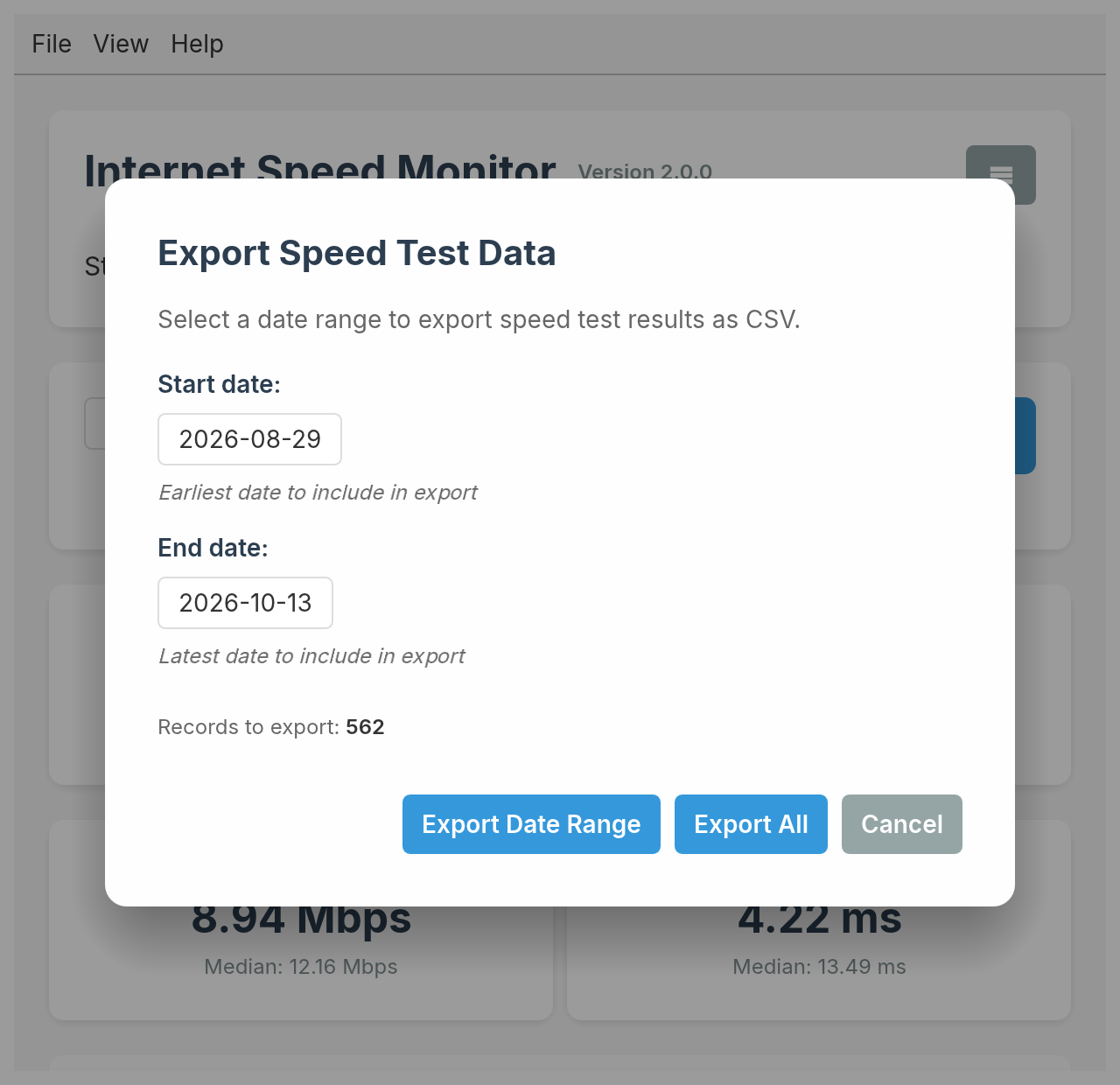
Export a date range to CSV and attach it to the support ticket.
Charts
Chart the last 20 tests, the last day, the last 7 days or any date range. Medians show your typical speed, not one lucky run.
Read the user manual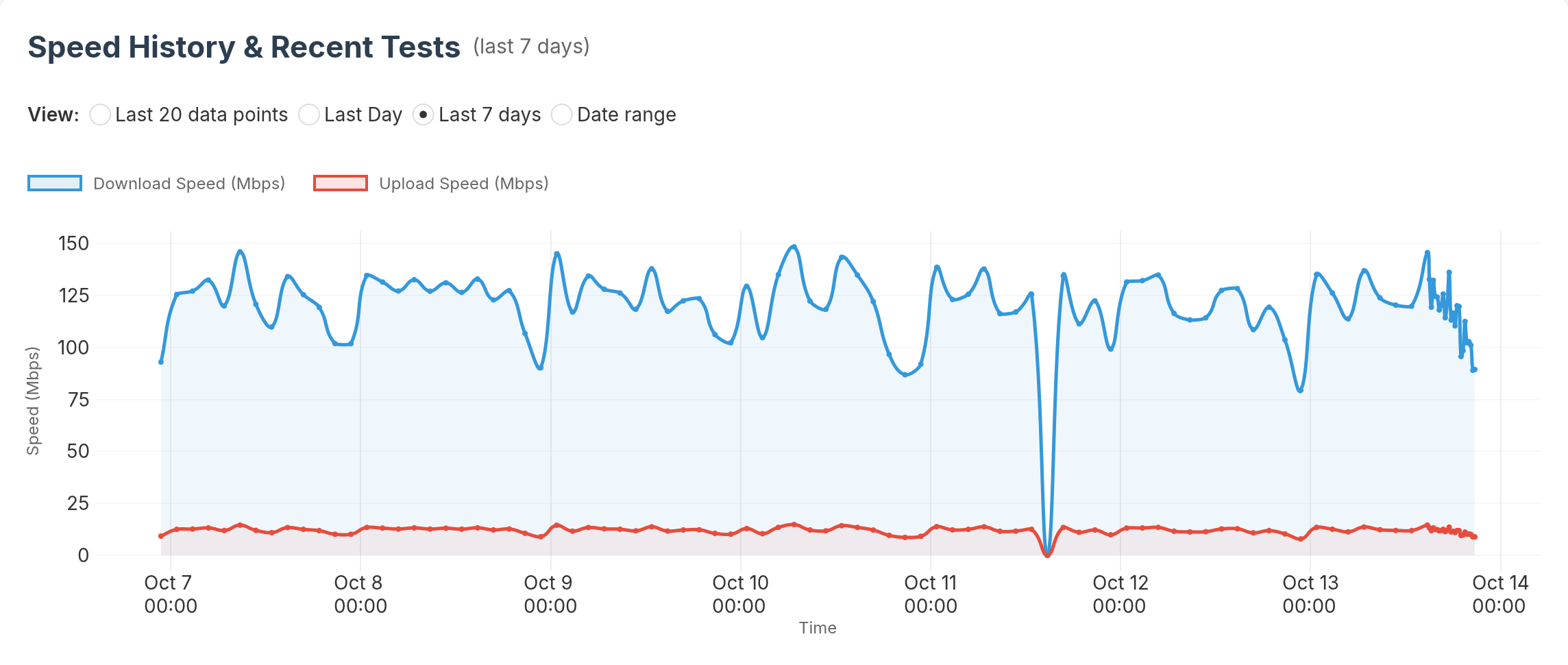
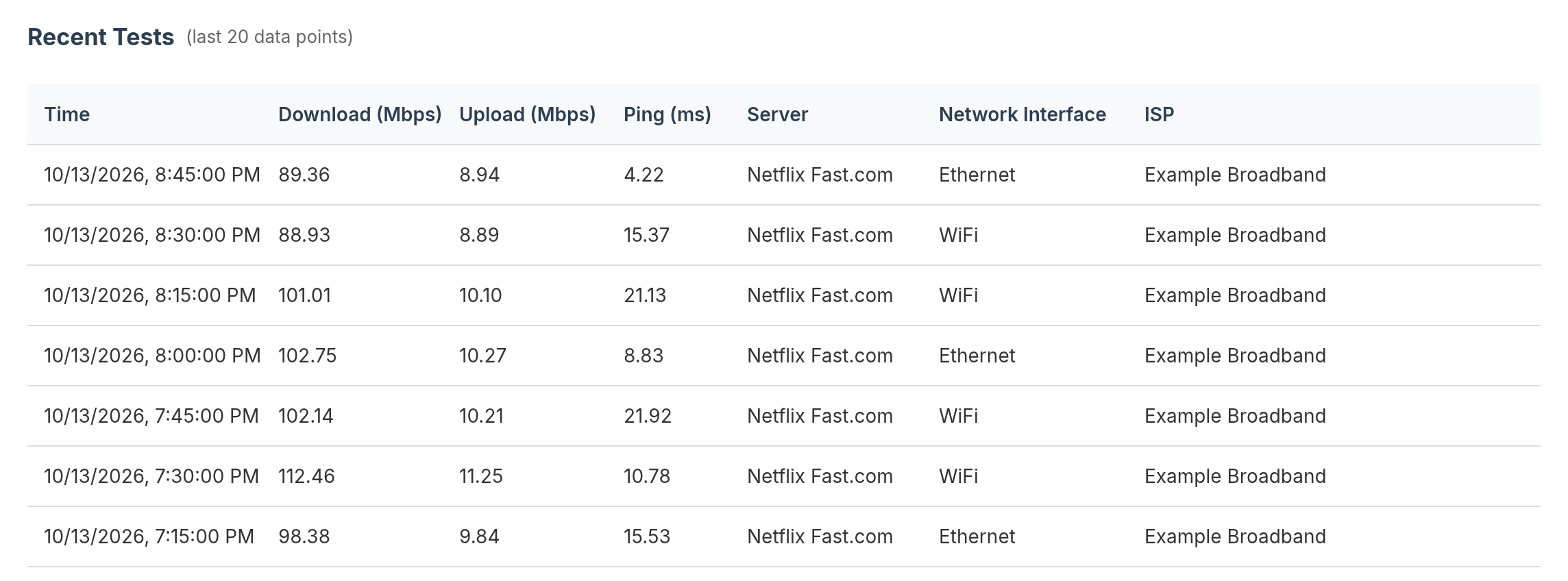
Each test records download, upload, ping, server, network interface and ISP. Tell a Wi-Fi problem from an ISP problem at a glance.
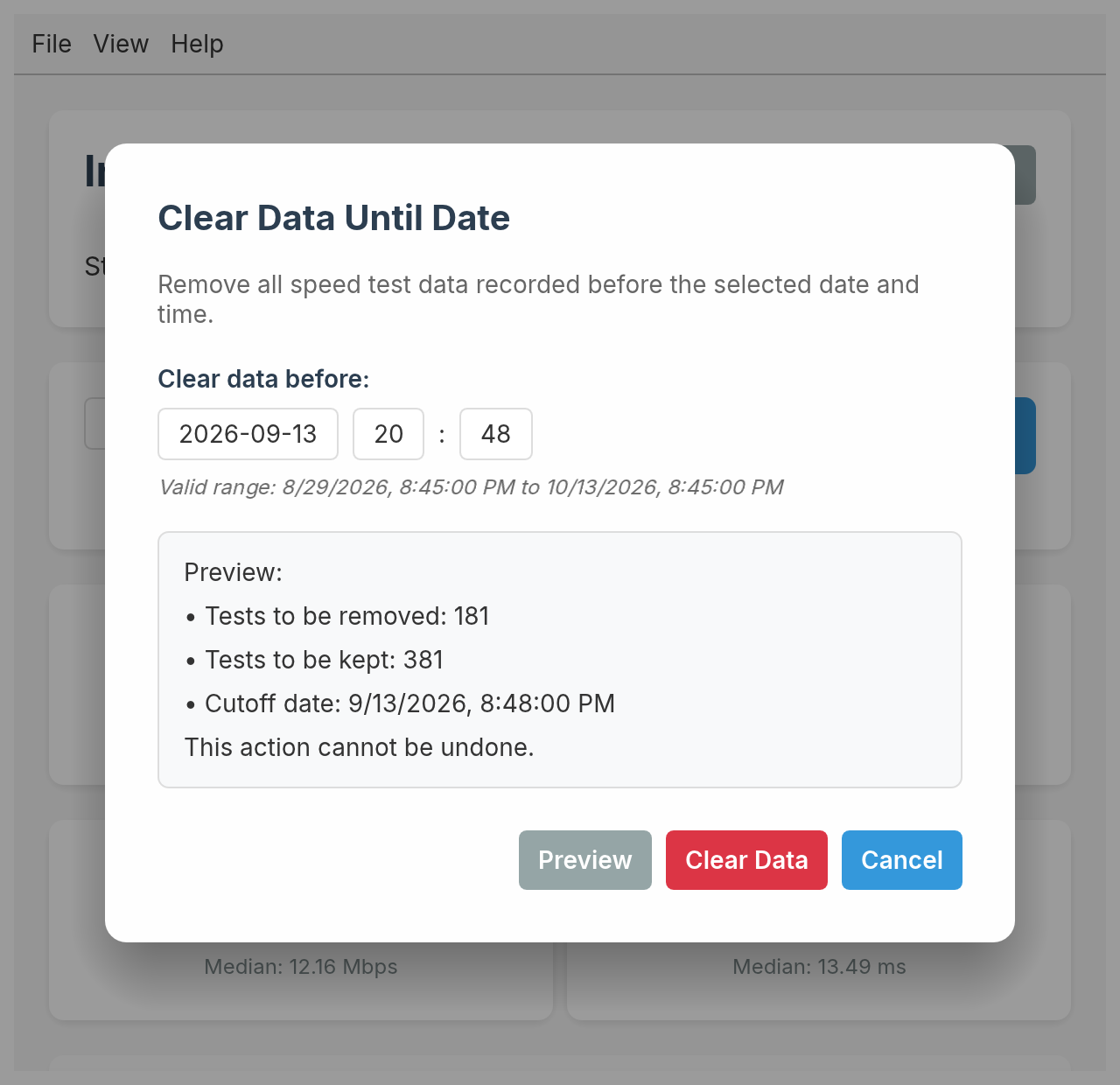
Everything is stored locally. Export to CSV, or preview exactly what will be removed before clearing old data.
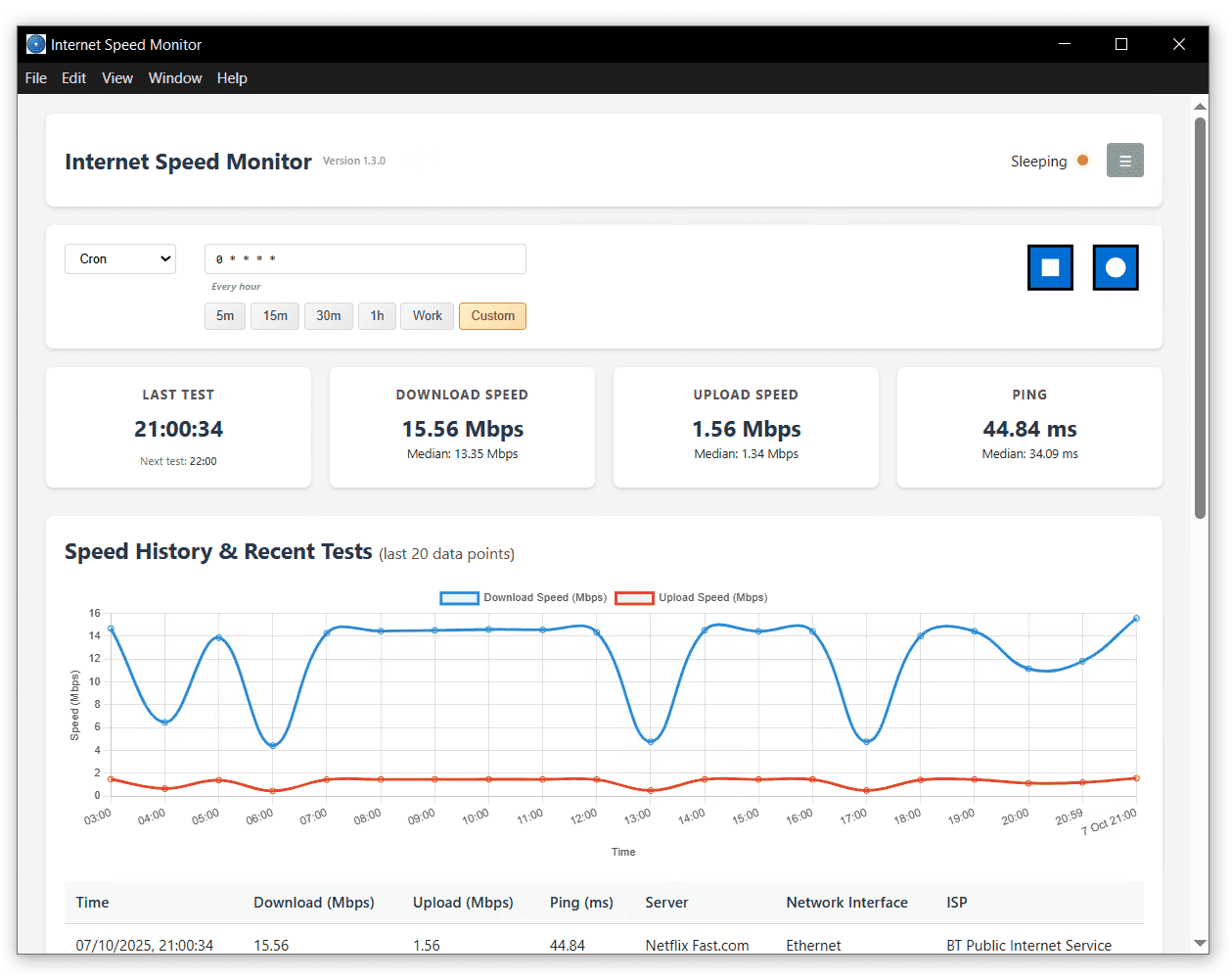
A simple interval or a cron expression, with presets for 5m, 15m, 30m, 1h and work hours.
Run a single test on demand without starting monitoring.
See whether it is running, sleeping or stopped, and when the next test starts.
Median speeds across your recent history show what is typical.
Detects Wi-Fi, Ethernet and other interface types for every test.
Identifies your provider for each test, so you can track it over time.
No cloud, no account. History lives on your device.
One native app for Windows, macOS and Linux.
Open source
One native binary with no bundled browser, so it starts instantly. Read the code, or build it yourself.
Free for Windows, macOS and Linux. Upgrading from 1.x? Install as usual. Your history and settings carry over.
Current version: v2.0.0 · Release notes